
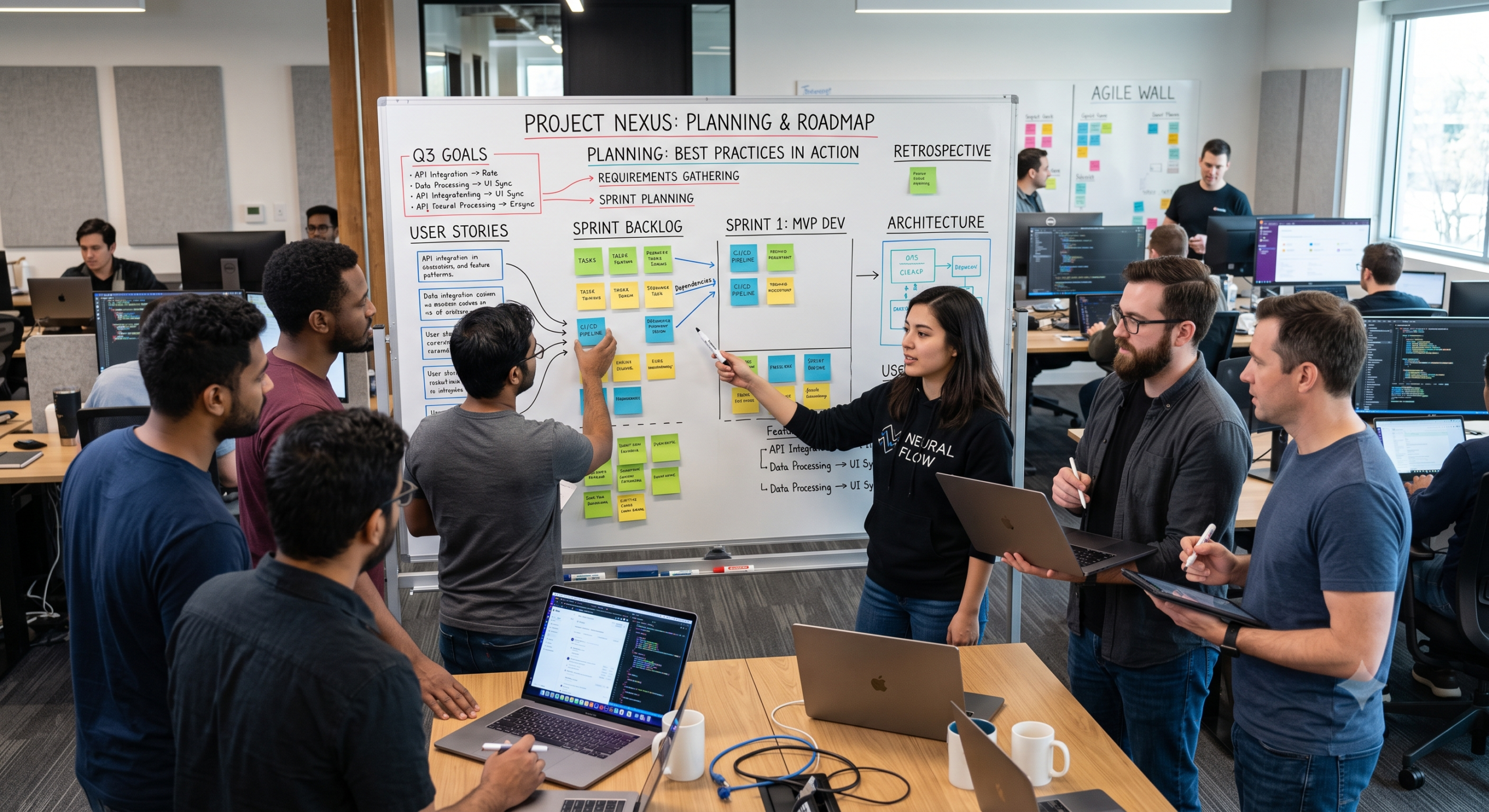
How Software Projects Are Planned: 11 Software Development Best Practices Developers Actually Use

August 10, 2026
14 min read
Adopting proven software development best practices when planning a software project sounds simple until you actually have to build one. Typically, someone starts with an idea, a list of requested features, and a deadline that already feels too close. Then, the inevitable questions begin: What should we build first? Which technology should we use? How much will it cost? Furthermore, how long will development take? Who is responsible for each part? Ultimately, what happens if the requirements change? As a full-stack developer, I have learned that effective software development best practices are not about predicting every line of code before development starts. In practice, that rigid approach rarely works. Software naturally changes as developers understand the problem, users provide feedback, technical limitations become visible, and business priorities shift. Good planning, therefore, is about creating enough structure to make sensible decisions while leaving room to adjust. That distinction is critical because software engineering is far more than just writing code. Specifically, a successful project connects business requirements, user expectations, application architecture, databases, APIs, interfaces, testing, security, deployment, and ongoing maintenance. Consequently, adopting modern software development best practices provides a structured way to navigate these concerns through iterative delivery and continuous feedback. From my experience, the strongest teams follow a set of practical habits rather than blindly following a rigid methodology. Here are 11 essential software development best practices I recommend when planning a new project.
1. Start With the Problem, Not the Technology
One of the easiest mistakes developers can make is choosing technology before understanding the underlying problem.
For instance, someone might say, “Let’s build this with React,” “We should use microservices,” or “Let’s put everything in Kubernetes.” Those technologies may eventually be appropriate; however, they should never be the starting point.
Instead, the first question must be: What problem are we trying to solve?
Suppose a company wants an internal inventory application. Before discussing frameworks, the team should understand how inventory is currently tracked, who uses the system, where errors happen, and what decisions the application must support. This gives the development team something much more valuable than a technology preference: context.
Similarly, Microsoft’s planning guidance emphasizes connecting goals and scenarios to measurable business objectives rather than treating technical work as an isolated activity. Once the problem is clear, technology decisions become significantly easier because they have clear reasoning behind them.
2. Define the Project Scope Clearly
Scope is one of the biggest factors that determines whether a software project remains manageable or spirals out of control.
Indeed, a project that begins with a simple directive to “build a customer portal” can quickly expand into authentication, billing, reporting, messaging, analytics, mobile applications, artificial intelligence, integrations, dashboards, and notifications. Consequently, this is how seemingly small projects suddenly turn into six-month endeavors.
To prevent this, a useful plan must explicitly define both what is included and what is excluded.
Included:
-
User registration and login
-
Customer profiles
-
Product browsing
-
Shopping cart
-
Order processing
-
Basic administration
Not included in Version 1:
-
Mobile application
-
Advanced analytics
-
Loyalty program
-
AI recommendations
-
Multi-region infrastructure
Ultimately, this simple distinction protects the project from uncontrolled scope expansion. Furthermore, establishing a roadmap helps communicate high-level goals and milestones, while more detailed task planning can take place inside the backlog.
3. Turn Requirements Into Something Developers Can Build
Business requirements often sound completely different from technical requirements.
For example, a stakeholder might say:
“Customers need an easier way to manage their orders.”
While that statement is useful, it is not yet something a developer can directly implement. As a result, the development team needs to translate that broad goal into smaller, actionable requirements.
Specifically, they might break it down as follows:
-
Customers can view previous orders.
-
Customers can open an individual order.
-
Orders show payment status.
-
Orders show delivery status.
-
Customers can download an invoice.
-
Administrators can update order status.
Now the team has clear, concrete pieces of work. This represents one of the most vital software development best practices because vague requirements inevitably create vague implementations. Consequently, developers end up making assumptions that later turn into bugs, change requests, or misunderstandings.
4. Create a Product Roadmap Before Creating Hundreds of Tasks
A backlog is useful, but a giant list of tickets is not a strategy. Therefore, before breaking everything into individual tasks, you should establish a comprehensive roadmap.
Specifically, the roadmap should answer:
-
What are we building?
-
Why are we building it?
-
Who is it for?
-
What are the major milestones?
-
What should be delivered first?
-
What dependencies exist?
-
What does success look like?
The key lies in understanding the relationship between the roadmap and the backlog. Simply put, the roadmap represents the overarching direction, whereas the backlog represents the step-by-step work required to move in that direction. Keeping these separate yet connected prevents developers from becoming buried in individual tasks without understanding the broader objective.
5. Prioritize the Backlog
Once requirements have been identified, they must be prioritized. Clearly, not everything can be treated as equally important.
A useful backlog typically classifies work into clear tiers:
-
Critical: Required for the application to function.
-
High: Important for the initial release.
-
Medium: Valuable, but can wait for a subsequent update.
-
Low: Nice-to-have improvements for a later release.
This classification becomes particularly critical when deadlines approach. If the team has 30 features remaining but only enough time to complete 12, prioritization becomes unavoidable. In this scenario, it is far better to have 12 important features working properly than 30 partially completed ones.
Additionally, from a developer’s perspective, technical work must live in the same planning system. Bugs, infrastructure updates, technical debt, security improvements, and internal engineering tasks should not disappear simply because end-users cannot directly see them.
6. Break Large Features Into Smaller Pieces
Large tasks are notoriously difficult to estimate and manage. Consider a high-level task such as: “Build the payment system.”
In reality, that single line actually involves:
-
Payment provider integration
-
Checkout interface
-
Payment API development
-
Webhook processing
-
Transaction database design
-
Failed-payment handling
-
Refund processing
-
Receipt generation
-
Security controls
-
Automated tests, logging, and monitoring
Suddenly, what seemed like one task is actually dozens of smaller components. Breaking work down gives developers better visibility and makes progress much easier to measure. Moreover, this aligns naturally with Agile practices, where large initiatives are broken into manageable epics, stories, and deliverable units.
7. Plan the Architecture Before Writing Too Much Code
Planning does not mean creating a 200-page architecture document. Rather, it means answering fundamental technical questions early in the process.
Specifically, for a typical full-stack application, you should determine:
-
What frontend framework will we use?
-
What backend technology is best suited for this load?
-
Where will the core business logic live?
-
Which database model is appropriate?
-
How will authentication and authorization work?
-
Which internal and external APIs are required?
-
Where will the application run, and how will deployments happen?
However, architecture must always remain proportional to the project. A small internal tool does not need a complex microservices setup; conversely, a large financial platform demands significant architectural foresight. Therefore, following foundational software development best practices means choosing the simplest architecture that can reasonably support the project’s requirements.
8. Include Security During Planning
Security should never be an afterthought. If authentication, data protection, secrets management, logging, or input validation are ignored during initial planning, developers will eventually have to retrofit them into an architecture that was never designed for them. Consequently, doing so is both expensive and risky.
Modern secure development approaches integrate security throughout the software lifecycle. For a new application, you should address key security questions upfront:
-
Who can access the system, and what permissions does each role have?
-
What data is considered sensitive, and how will it be encrypted?
-
Where are API keys and secrets stored safely?
-
How are user inputs validated to prevent injection attacks?
-
What specific events are written to audit logs?
Ultimately, security planning does not have to be overly complicated, but it must happen early.
9. Estimate With Uncertainty in Mind
Software estimates are notoriously difficult because development inherently involves discovery.
For example, a developer might estimate a feature at three days. However, during implementation, they might discover an undocumented legacy API, a database bottleneck, or an unexpected third-party limitation. Consequently, those three days quickly turn into seven.
That does not mean the developer estimated poorly; rather, it means the initial estimate could not account for unknown variables.
Good teams, therefore, avoid treating estimates as promises set in stone. Instead, estimates should continuously refine as technical knowledge improves:
-
Initial estimate: 3–5 days
-
After technical spike/investigation: 4–6 days
-
After implementation begins: 5 days remaining
This iterative model is significantly healthier than pretending software development can always be predicted with absolute precision.
10. Decide How Work Will Be Delivered
Planning must also establish the team’s operational workflow. Many teams choose Agile frameworks like Scrum or Kanban because they allow development to happen through short, iterative cycles.
However, the goal is not to adopt Agile simply because it is popular. Instead, the goal is to create a reliable workflow that enables the team to:
-
Select high-priority work.
-
Build and thoroughly test it.
-
Review and release the functionality.
-
Gather feedback and adjust the next sprint accordingly.
In practice, I recommend planning enough work to maintain strong momentum without filling every developer’s calendar to 100% capacity. Because unexpected problems are an inevitable part of software development, teams must explicitly leave room to handle them.
11. Plan for Testing, Deployment, and Maintenance From Day One
One of the biggest planning mistakes is treating deployment as the final, isolated step. In truth, a software project is far from finished simply because the code runs on a developer’s local machine.
Right from the beginning, the team must account for operational requirements:
-
Automated unit and integration testing
-
Structured code reviews
-
CI/CD build pipelines
-
Database migrations and configuration management
-
System monitoring, logging, and incident response
-
Ongoing maintenance and rollbacks
From a full-stack perspective, this matters enormously. A feature that works on
localhost but fails in production is incomplete. Likewise, a feature built without automated tests is dangerous to update, and a feature that cannot be monitored will quickly become technical debt.What a Practical Software Project Plan Looks Like
A useful software project plan does not need to be overly complex. For a standard project, structuring the plan around key operational areas provides clarity without creating excessive overhead:
| Planning Area | What to Define |
| Project Goal | What specific problem are we solving? |
| Users | Who will interact with this system? |
| Scope | What features are explicitly included and excluded? |
| Requirements | What functional capabilities must the application have? |
| Roadmap | What are the major delivery milestones? |
| Backlog | What individual work items need to be completed? |
| Architecture | How will the system components be structured? |
| Technology | Which frameworks, databases, and tools are appropriate? |
| Security | How will data, access, and infrastructure be protected? |
| Estimates | What is the expected effort, accounting for uncertainty? |
| Testing | How will software quality and stability be verified? |
| Deployment | How will releases be safely shipped to production? |
| Maintenance | How will the system be monitored and supported over time? |
Ultimately, this structure gives everyone a common reference point without pretending that the initial plan will never need to adapt.
Why Software Projects Change After Planning
Even the best project plan must remain flexible enough to respond to real-world changes. Requirements shift, customer needs evolve, market competitors release new features, external APIs change, and developers discover unforeseen technical constraints.
That adaptability is entirely normal. Therefore, the primary objective of planning is not to prevent change, but rather to make change structured and manageable.
The main mistake teams make is not changing the plan—it is changing the plan without evaluating how that change impacts scope, schedule, resources, and technical risk.
Common Planning Mistakes Developers Should Avoid
To keep projects on track, watch out for these frequent pitfalls:
-
Planning every detail too early: You cannot know everything upfront. Therefore, lock down the critical architecture first, then refine task details as development progresses.
-
Choosing technology based on hype: A trending framework is not automatically the right tool for your use case. Always select tools based on project requirements, team experience, and maintainability.
-
Ignoring technical debt: Refactoring and maintenance are inevitable. If you do not schedule time for technical debt, it will eventually slow the entire project down.
-
Treating estimates as fixed deadlines: Estimates are probabilistic forecasts. As uncertainty drops, accuracy increases, but initial estimates should always retain buffer room.
-
Forgetting non-functional requirements: Performance, security, accessibility, and scalability are just as vital as core functional features.
-
Building everything in isolation before getting feedback: Long development cycles without user feedback carry massive risk. Shorter release cycles allow you to spot missteps early.
Core Software Development Best Practices Reduce Surprises
When discussing core software development best practices, conversations often center on technical tooling: writing unit tests, utilizing Git, running CI/CD pipelines, and enforcing code reviews.
While those engineering habits are essential, the overarching goal of project planning is reducing unnecessary surprises.
-
Good planning eliminates the surprise of realizing no one agrees on what the application should actually do.
-
Good architecture prevents the surprise of discovering the system cannot scale to meet a core requirement.
-
Good testing removes the surprise of breaking existing features with new code.
-
Good security practices avoid the surprise of discovering vulnerabilities after launch.
When engineering standards and thoughtful planning work together, teams stop reacting to sudden emergencies and start shipping reliable software consistently.
FAQ: Software Development Best Practices & Planning
What is software project planning?
Software project planning is the practice of defining a project’s goals, scope, functional requirements, technical architecture, timeline, and delivery workflow. It establishes a shared vision between stakeholders and developers before heavy execution begins.
What must be planned before software development starts?
At minimum, you should clarify the core problem, target audience, project boundaries (scope), high-level architecture, key technical risks, and definition of success. Detailed task breakdown can occur iteratively later.
Why is project scope so critical?
Scope sets boundary lines. It prevents feature creep, keeps timelines realistic, and helps the team distinguish between essential launch features and post-launch enhancements.
Should developers actively participate in project planning?
Yes, absolutely. Developers provide essential insight into technical feasibility, architectural constraints, security considerations, and effort estimation. Planning without engineering input frequently leads to unrealistic deadlines.
What are the most essential software development best practices for new teams?
The most valuable software development best practices include defining explicit requirements, maintaining prioritized backlogs, establishing automated testing early, performing regular code reviews, and automating deployments through CI/CD pipelines.
Final Thoughts
The most successful software projects are rarely the ones with the most elaborate, rigid plans. Instead, they are the projects where the team deeply understands the underlying problem, agrees on what matters most, and maintains a structured process for handling change when reality intervenes.
Planning works best when it builds a strong bridge between business objectives and technical execution. The 11 best practices outlined here—starting with the problem, bounding scope, clarifying requirements, prioritizing work, designing simple architecture, planning security early, and preparing for ongoing operations—provide a reliable framework for shipping great software without the chaos.
References and Further Reading
-
Atlassian — How to Write an Effective Project Plan: Guidance on setting scope boundaries, milestone planning, and integrating roadmaps with backlogs.
-
Microsoft Learn — Modern Software Development Practices: Highlighting CI/CD pipelines, DevOps workflows, automated testing, continuous feedback loops, and aligning goals with measurable business value.
-
IBM — Software Development Lifecycle & Secure SDLC: Overview of structured SDLC phases and integrating security controls into requirements, architecture, testing, and deployment.Link: IBM SDLC Overview
-
Monday.com — Software Development Plan Guide: Step-by-step framework covering project objective definitions, methodology selection, milestone mapping, and team alignment.
-
GeeksforGeeks — Software Development Process Step-by-Step Guide: Detailed technical breakdown of requirements gathering, design architecture, implementation, testing, and deployment workflows.
-
Itransition — Software Development Project Plan Explained: Comprehensive guide to discovery phases, Work Breakdown Structure (WBS), risk mitigation, and iterative Agile delivery.
-
Zenkit — 10 Project Planning Best Practices: Core strategies for managing scope creep, risk assessment buffers, and stakeholder communication in software engineering.