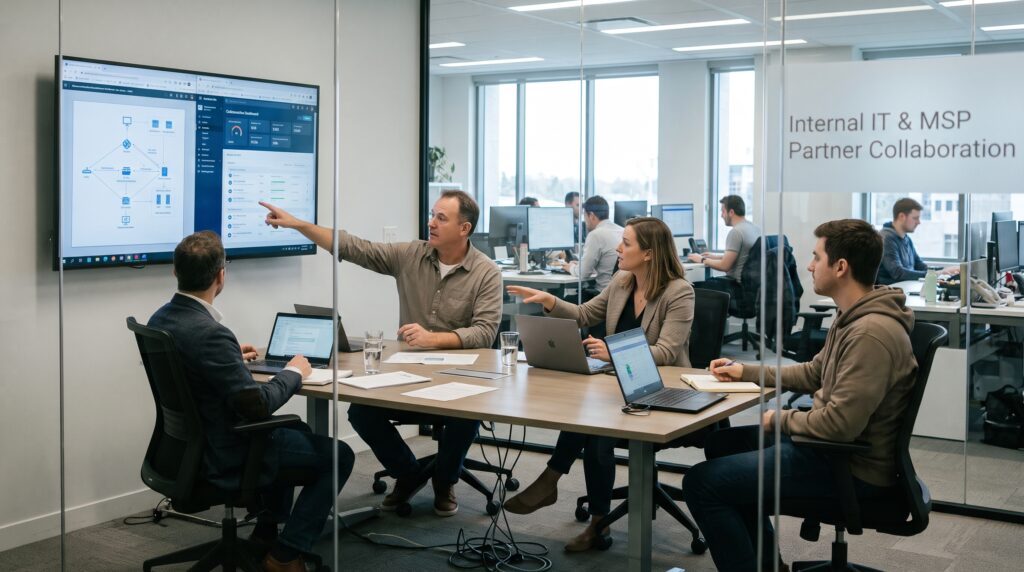
A few years ago I sat in on a kickoff call that showed me exactly what co-managed IT looks like when it works. A 300-person logistics company was meeting the managed service provider it had just signed. The company’s IT director, who had run a lean team of four for nearly a decade, spent the first twenty minutes doing something I didn’t expect. Instead of talking about tools or tickets, he was drawing boundaries. “You don’t touch the ERP,” he said. “Also, you don’t change firewall rules without my sign-off. And when the CFO calls you directly, you call me first.”
Meanwhile, the MSP’s engagement lead just nodded and wrote it all down. That, in a nutshell, is co-managed IT done right. Nobody was replacing anybody. Instead, two teams were agreeing, out loud and in writing, on how they would share one environment.
I’ve written about managed services for a long time, and co-managed IT is the arrangement I see misunderstood more than any other. For example, business leaders hear “MSP” and assume outsourcing. Similarly, internal IT staff hear it and assume their jobs are on the line. However, both reactions miss the point. This article walks through how a co-managed IT model actually works, where it earns its keep, where it breaks, and what you should put in place before the first ticket changes hands.
What Co-Managed IT Actually Means
Co-managed IT is a shared-responsibility arrangement. In other words, your internal IT team keeps ownership of strategy, business relationships, and the systems that are critical to how your company operates. Meanwhile, an external managed service provider takes on a defined slice of the work, usually the routine operational load, the after-hours coverage, or the specialist skills your team can’t realistically hire.
The key word, of course, is defined. In a fully managed arrangement, the MSP becomes your IT department and takes default responsibility for everything. By contrast, in a co-managed arrangement your organization keeps responsibility for its own infrastructure and then chooses which pieces to hand to a partner. That distinction sounds small on paper. In practice, however, it changes everything about how the relationship is run, priced, and measured.
Co-Managed IT Is Not a New Idea
The idea isn’t new, either. Back when TechTarget’s channel coverage first started discussing it, Bob Coppedge of Simplex IT, an MSP in Ohio, was already describing the model as “CoMITS,” a way for providers to build mutually supportive relationships with a customer’s internal IT staff. What has changed since then, above all, is the pressure driving companies toward it.
Why More Companies Are Choosing Co-Managed IT
For years the conversation was binary. Either you built an internal department, or you outsourced to an MSP. Today, however, a growing number of organizations sit somewhere in between. In fact, as NinjaOne’s comparison of MSP and internal IT models points out, co-managed IT is less a temporary patch and more an ongoing operating model. Three forces, in particular, are pushing companies there.
The Skills Gap Has Changed Shape
The 2025 ISC2 Cybersecurity Workforce Study, based on responses from 16,029 security practitioners and decision-makers, found that 95 percent of respondents reported at least one skills gap on their team. More telling still, 59 percent called those gaps critical or significant, up from 44 percent the year before. As a result, ISC2 didn’t even publish a global headcount gap estimate this time, because, as Infosecurity Magazine reported, respondents kept saying the real problem was missing skills rather than missing bodies.
That is exactly the problem co-managed IT is built to solve. After all, you don’t need five more generalists. Instead, you need someone who knows cloud security, identity hardening, or AI governance, and you need them now.
Those Gaps Have Consequences
Furthermore, the same ISC2 research found that 88 percent of respondents had experienced at least one cybersecurity incident or operational issue linked to a skills shortage, according to reporting from SecurityInfoWatch and CSO Online. Consequently, when a small internal team is stretched across help desk, projects, and security, something eventually slips.
Specialists Are Hard to Hire and Harder to Keep
Likewise, a HostingAdvice survey of 500 senior US IT leaders found that 41 percent named cybersecurity professionals as the hardest staff to hire and retain. For a midsize business, therefore, competing for that talent against enterprises and security vendors is often a losing game.
Put those together, and the logic of co-managed IT becomes obvious. First, keep the people who know your business. Then, rent the depth you can’t build.
How the Work Gets Split in Co-Managed IT
There is no universal template for dividing duties. For instance, some organizations divide by function, some by technology, some by location, and some by time of day. What matters most, though, is that the division is explicit. Here are the patterns I see most often.
The Capacity Split
This is the most common starting point. Usually the internal team is good, but it’s drowning. So the MSP takes over tier-one and tier-two help desk tickets, password resets, device onboarding, and routine patching. Meanwhile, internal staff stay focused on projects, vendor management, and the business applications only they understand.
As a rule, the payoff here is felt within weeks. As Red River describes in its overview of co-managed services, when the provider absorbs routine workloads, internal engineers aren’t sidelined. Rather, they’re freed up to do the work they were hired for.
The Coverage Split
Your team works business hours. Your systems, on the other hand, don’t. In a coverage split, the MSP handles monitoring, alerting, and first response overnight, on weekends, and during holidays. For example, if a server falls over at 2 a.m., the provider triages it, follows the agreed runbook, and escalates to your on-call person only when the issue crosses a defined threshold.
This model is especially useful for companies with a single IT manager or a team of two, where “on call” really means “never off.”
The Specialist Split
Here the internal team covers most of the environment, while the MSP brings in expertise for specific domains. Security operations is the obvious example: a managed SOC, SIEM monitoring, vulnerability management, and incident response readiness. In addition, common specialties include Microsoft 365 and Azure administration, network architecture, backup validation, and compliance work for frameworks like HIPAA, PCI DSS, or CMMC.
The Project Split
Sometimes, however, the need is temporary. Think of a data center migration, a move to a new ERP, an office relocation, or a merger that doubles your endpoint count overnight. In these cases, the MSP supplies project managers and engineers for the duration and then steps back. In fact, many co-managed IT relationships start this way and grow into something more permanent once both sides see the fit.
Blending Co-Managed IT Patterns
In real engagements, of course, these patterns blend. For example, a company might use the MSP for after-hours monitoring, managed security, and overflow help desk, while keeping network design, application support, and every conversation with leadership internal.
The Document That Makes or Breaks Co-Managed IT
If you take one thing from this article, take this. The single biggest cause of failure in co-managed IT is unclear ownership.
I’ve seen it play out the same way more than once. First, a critical patch doesn’t get applied. Then it turns out the internal team assumed the MSP’s automation handled it, while the MSP assumed the internal team had excluded that server on purpose. Nobody was negligent, exactly. Still, nobody was accountable either.
Building a Co-Managed IT Responsibility Matrix
The fix, therefore, is a written responsibility matrix, often built in RACI format: who is Responsible for doing the work, who is Accountable for the outcome, who must be Consulted, and who needs to be Informed. Done well, it lists every recurring IT function and assigns one accountable owner to each. Typically, a solid matrix for co-managed IT covers these areas:
- Endpoint management: device provisioning, patching, antivirus or EDR, and decommissioning.
- Identity and access: account creation, permission changes, MFA enforcement, and privileged access.
- Network: firewall rule changes, VPN, wireless, ISP escalation, and switch configuration.
- Servers and cloud: monitoring, capacity planning, backups, restore testing, and cost management.
- Security operations: alert triage, threat hunting, incident response, and post-incident reviews.
- Business applications: support for line-of-business systems, vendor contact, and upgrade scheduling.
- Help desk: ticket intake, tier-one and tier-two resolution, and escalation paths.
- Projects: discovery, design, approval, testing, cutover, rollback, and acceptance.
- Vendor and license management: renewals, true-ups, and contract negotiation.
- Documentation: network diagrams, asset inventories, credentials vaults, and runbooks.
Shared Never Means Uncertain
One rule I push hard is this: shared should never mean uncertain. Two teams can both work on patching; however, only one of them is accountable when a patch is missed. So if a row in your matrix has two names in the “accountable” column, it isn’t finished.
Why Frameworks Now Expect It
Moreover, this isn’t just good practice. It’s increasingly baked into security frameworks. When NIST released Cybersecurity Framework 2.0 in February 2024, it added a sixth core function called Govern, a shift Cooley and Arctic Wolf have both broken down in detail. One of its categories, Roles, Responsibilities, and Authorities, is about making sure cybersecurity roles are established and communicated so people can be held accountable. Similarly, another category covers supply chain risk, which includes third parties like your MSP. In other words, the framework now expects you to know exactly what your provider is responsible for. A responsibility matrix, ultimately, is how you prove it.
Keep It Alive
Finally, remember that the matrix is a living document. Staff turn over, systems get replaced, and new tools enter the stack. For that reason, review it quarterly and any time something significant changes, such as an acquisition, a new office, a major platform migration, or a key person leaving.
Co-Managed IT Tooling: One Environment, Two Teams
The second place co-managed IT tends to fall apart is tooling. For instance, if your internal team works out of one ticketing system and the MSP works out of another, you will lose tickets. It’s not a question of if. Before onboarding, then, settle the following questions.
Ticketing and Monitoring
Whose ticketing platform is the system of record? Ideally, there is one queue that both teams see, with routing rules that send each ticket type to the right owner based on your matrix. If the MSP insists on its own PSA tool, however, make sure there’s a working integration, not a weekly spreadsheet export.
Whose RMM and monitoring tools run on your endpoints? Running two remote monitoring agents on every machine creates noise, performance drag, and conflicting automation. Therefore, pick one, or define clear boundaries for which agent manages what.
Access, Documentation, and Visibility
How is privileged access controlled? The MSP will need administrative credentials. Those should live in a shared vault with full audit logging, scoped to what the provider actually manages. Also, every MSP technician should have a named account, because shared “msp admin” logins are a security incident waiting to happen. Given how often attackers have targeted managed service providers to reach their customers, this deserves real attention.
Where does documentation live? Both teams need to read and update the same knowledge base. Otherwise, if the MSP’s runbooks live only in its own system, you’re building dependency without realizing it.
Who sees the security dashboards? Your internal lead should have visibility into the same alerts and reports the MSP works from. After all, co-managed IT works best when nothing is hidden behind the provider’s walls.
A good provider, incidentally, will raise these questions before you do. If they don’t, that tells you something.
What Co-Managed IT Costs, and How to Think About It
Pricing for co-managed IT varies widely, so I’d be wary of anyone who quotes you a number without first looking at your environment. That said, the common structures are fairly predictable.
Common Pricing Structures
- Per-user or per-device pricing is typical when the MSP is taking on help desk and endpoint management. Generally, the rate is lower than fully managed pricing, since your internal team is still handling a share of the user-facing work.
- Per-service pricing is common for specialist splits. For example, you might pay a fixed monthly fee for managed detection and response, another for backup monitoring, and another for Microsoft 365 administration.
- Block hours or retainers, on the other hand, work well for project support and escalation coverage, where the volume of work is hard to predict.
- Hybrid models blend a base monthly fee with project rates or hourly overage.
Comparing Co-Managed IT Against the Real Alternative
The honest way to evaluate cost is not to compare the MSP contract against zero. Instead, compare it against what it would take to deliver the same coverage internally. A single senior security engineer, for instance, carries salary, benefits, training, certifications, tooling licenses, and the very real cost of turnover when a competitor offers them more. Add round-the-clock coverage, and you’d need several people.
For most midsize companies, consequently, the co-managed IT contract wins that comparison handily. It doesn’t always win the comparison against “keep doing what we’re doing,” though, because the cost of the status quo is hidden in burnout, delayed projects, and incidents that haven’t happened yet.
One Red Flag to Watch
When you review proposals, watch for one warning sign in particular. If a provider keeps steering the conversation toward taking over more and more of your environment, they’re selling fully managed IT dressed up as co-managed. A true partner, by contrast, is comfortable staying in its lane.
The Human Side of Co-Managed IT
Here’s something the vendor brochures rarely say plainly. The technical side of co-managed IT is actually the easy part. The cultural side, meanwhile, is where these partnerships succeed or quietly sour.
Address the Fear Early
Your internal IT staff may be nervous. After all, they’ve heard stories about companies that brought in an MSP “to help” and then cut the internal team six months later. If leadership doesn’t address that fear directly, it eventually shows up as gatekeeping, slow handoffs, and a reluctance to share the undocumented knowledge the MSP needs to do its job. Fortunately, a few things help.
Say it out loud. Leadership should tell the internal team, clearly and early, why the company is adding a partner and what it means for their roles. If the goal is to free them for strategic work, say so, and then follow through by actually giving them that work.
Make the internal lead the relationship owner. The MSP should report into your IT director or manager, not around them. Otherwise, when executives start calling the provider directly and skipping internal IT, trust erodes fast. That logistics IT director I mentioned at the start knew this instinctively.
Share Knowledge and Grow Your People
Treat knowledge transfer as two-way. Your team knows the business: which systems the warehouse can’t live without, which executive will call at 6 a.m., and which vendor never answers email. Likewise, the MSP knows patterns from dozens of other environments. Ideally, both kinds of knowledge flow into shared documentation.
Invest in your people alongside the partnership. One underrated benefit of co-managed IT is exposure. In particular, internal staff who work beside specialists pick up skills they’d never get otherwise. Some MSPs will even include training or shadowing as part of the engagement, so ask for it.
Signs Co-Managed IT Is the Right Fit
Not every company needs this model. Generally speaking, co-managed IT tends to fit best when:
- You have at least one capable IT person, or a small team, who is clearly overstretched.
- Your internal staff hold critical knowledge about business applications that would be hard to transfer to an outsider.
- You need security depth, compliance support, or 24/7 monitoring that you can’t justify hiring full-time staff for.
- You’re facing a major project that your team doesn’t have the bandwidth or expertise to deliver alone.
- You’re growing faster than you can hire, through new locations, acquisitions, or headcount growth.
- Leadership wants to keep strategic control of IT in-house rather than handing it to a vendor.
When Co-Managed IT Isn’t the Best Fit
On the other hand, if you have no internal IT staff at all, a fully managed model is usually simpler. Similarly, if you’re a large enterprise with mature, well-staffed departments, you may only need targeted staff augmentation or a specialist vendor for one function.
It’s also worth knowing that companies move between these models over time. For example, a startup might begin fully managed, hire its first IT manager at 75 employees, and then shift to co-managed IT as that team grows. Later, as the internal department matures, the MSP’s role might narrow to security operations alone. In short, a good arrangement flexes with you.
How to Choose a Co-Managed IT Partner
Many MSPs say they do co-managed IT. Fewer, however, do it well, because working alongside an existing team requires different habits than running an environment alone. So when you evaluate providers, ask questions that reveal how they actually operate.
Questions About Experience and Process
How many of your current clients are co-managed? A provider whose book is 95 percent fully managed, for instance, may not have the processes to share work gracefully.
Can you show me a sample responsibility matrix? If they can’t produce one quickly, chances are they haven’t done this many times.
What does your onboarding look like? Specifically, look for a structured 30-, 60-, and 90-day plan with documentation review, tool access setup, and a defined go-live point.
How do escalations work in both directions? You need to know how the MSP escalates to you and, equally, how your team escalates to the MSP’s senior engineers when they need help.
Questions About Reporting and Exit
What do your reports include, and how often do we meet? Monthly reporting and quarterly business reviews should be standard. Moreover, the reports should show ticket volume, response times, security posture, and open risks, not just vanity metrics.
What happens if we end the contract? Ask how documentation, credentials, and tooling are handed back. Naturally, a provider confident in its value won’t flinch at this question.
Can we talk to a current co-managed client? Above all, references from similar companies in your industry are worth more than any sales deck.
Making the First 90 Days of Co-Managed IT Count
Once you’ve picked a partner, the onboarding period sets the tone for everything after. In my experience, the strongest co-managed IT relationships share a few habits from the very beginning.
Start with discovery, not tickets. First, the MSP should spend a few weeks learning your environment: auditing assets, reviewing documentation, mapping dependencies, and meeting your team. Therefore, resist the urge to throw a backlog at them on day one.
Build the matrix together. Don’t let the MSP hand you a generic template and call it done. Instead, walk through it line by line with both teams in the room.
Pick a narrow first scope. Start with one or two clearly bounded areas, prove that handoffs work, and then expand. Trying to transfer everything at once, by contrast, creates chaos.
Agree on communication channels. Next, decide where real-time conversation happens, whether that’s Teams, Slack, or a shared bridge line, and keep it separate from the ticket queue.
Hold a 90-day review. Finally, look honestly at what’s working and what isn’t. Rescope where needed and update the matrix. This is also a good moment for leadership to check in with internal staff about how the partnership feels from their side.
The Bottom Line on Co-Managed IT
Co-managed IT isn’t outsourcing with a friendlier name. Rather, it’s a deliberate choice to keep the people who understand your business while adding the depth, coverage, and specialist skills that are now almost impossible for a midsize company to build alone. With skills gaps widening and security expectations rising, more organizations are therefore finding that the middle path is the most practical one.
Even so, the model only works when it’s built on clarity. Write down who owns what. In addition, share one set of tools. Protect and invest in your internal team. Above all, choose a partner that’s comfortable being an extension of your department, not a replacement for it. Do those things, and as a result an MSP stops being a vendor you manage and becomes part of the team you rely on.
Frequently Asked Questions About Co-Managed IT
What is the difference between co-managed IT and fully managed IT?
In fully managed IT, the MSP takes default responsibility for your entire technology environment. In co-managed IT, by contrast, your internal team keeps ownership and strategic control, while the provider handles specific, agreed areas such as help desk overflow, security monitoring, or after-hours coverage. Lexel’s overview of co-managed IT for SMBs explains this split clearly.
Will co-managed IT replace my internal IT staff?
It shouldn’t. A genuine co-managed IT arrangement exists to support your internal team, not to remove it. So if a provider keeps pushing to absorb more of your environment, they’re really selling a fully managed service. Red River’s guide to co-managed services frames the MSP as an extension of the internal team rather than a substitute.
What is a responsibility matrix in co-managed IT?
It’s a written document, usually in RACI format, that lists each IT function and names who is responsible, accountable, consulted, and informed. As a result, it prevents the “I thought you were handling it” gaps that cause most co-managed failures. Mind Core’s breakdown of how co-managed IT works covers how the matrix ties into ticketing and escalation.
How much does co-managed IT cost?
Pricing depends on scope. Common structures include per-user, per-device, per-service, block hours, or a hybrid. Generally, it is less than fully managed pricing because your internal team still carries part of the workload. Mind Core’s FAQ on co-managed IT notes it often costs less than the fully loaded expense of extra internal hires.
Is co-managed IT a good option for cybersecurity?
Yes, and in fact it’s one of the most common reasons companies adopt it. Managed SOC, SIEM monitoring, and incident response are expensive to staff internally. Moreover, the 2025 ISC2 Cybersecurity Workforce Study shows specialist skills gaps are now the top workforce challenge in security.
What size company benefits most from co-managed IT?
Midsize organizations with a small but capable IT team tend to see the biggest benefit, although the model can also fit larger enterprises with specific gaps. NinjaOne’s comparison of MSP and internal IT walks through how to choose based on capacity and risk tolerance.
How long does it take to onboard a co-managed IT provider?
Most structured onboardings run around 90 days. First comes discovery and documentation review, and then a narrow initial scope before expanding. Datapath’s co-managed IT services page outlines a 30-, 60-, and 90-day onboarding approach.
References
- ISC2. ISC2 Publishes 2025 Cybersecurity Workforce Study. December 2025.
- SecurityInfoWatch. Cybersecurity Skills Gaps Now Outpace Headcount Shortages, ISC2 Workforce Study Finds. December 2025.
- Infosecurity Magazine. Skills Shortages Trump Headcount as Critical Cyber Challenge.
- CSO Online. Cybersecurity Skills Matter More Than Headcount in the AI Era.
- HostingAdvice. Cybersecurity Tops the List of Hardest Roles to Fill in 2025, Survey Finds.
- National Institute of Standards and Technology. NIST Cybersecurity Framework.
- Cooley LLP via JD Supra. NIST Unveils Cybersecurity Framework 2.0. February 2024.
- TechTarget. Understanding Co-Managed IT Services.
- NinjaOne. MSP vs Internal IT: How to Choose the Right Support Model.
- Red River. How Co-Managed IT Services Augment Your Internal Team.
- JumpCloud. How Co-Managed IT Can Revolutionize Your Business.
- Arctic Wolf. NIST CSF 2.0: Understanding and Implementing the Govern Function.